1. Vendor Panel → Vendor WhatsApp Message
2.Click Create WhatsApp Instance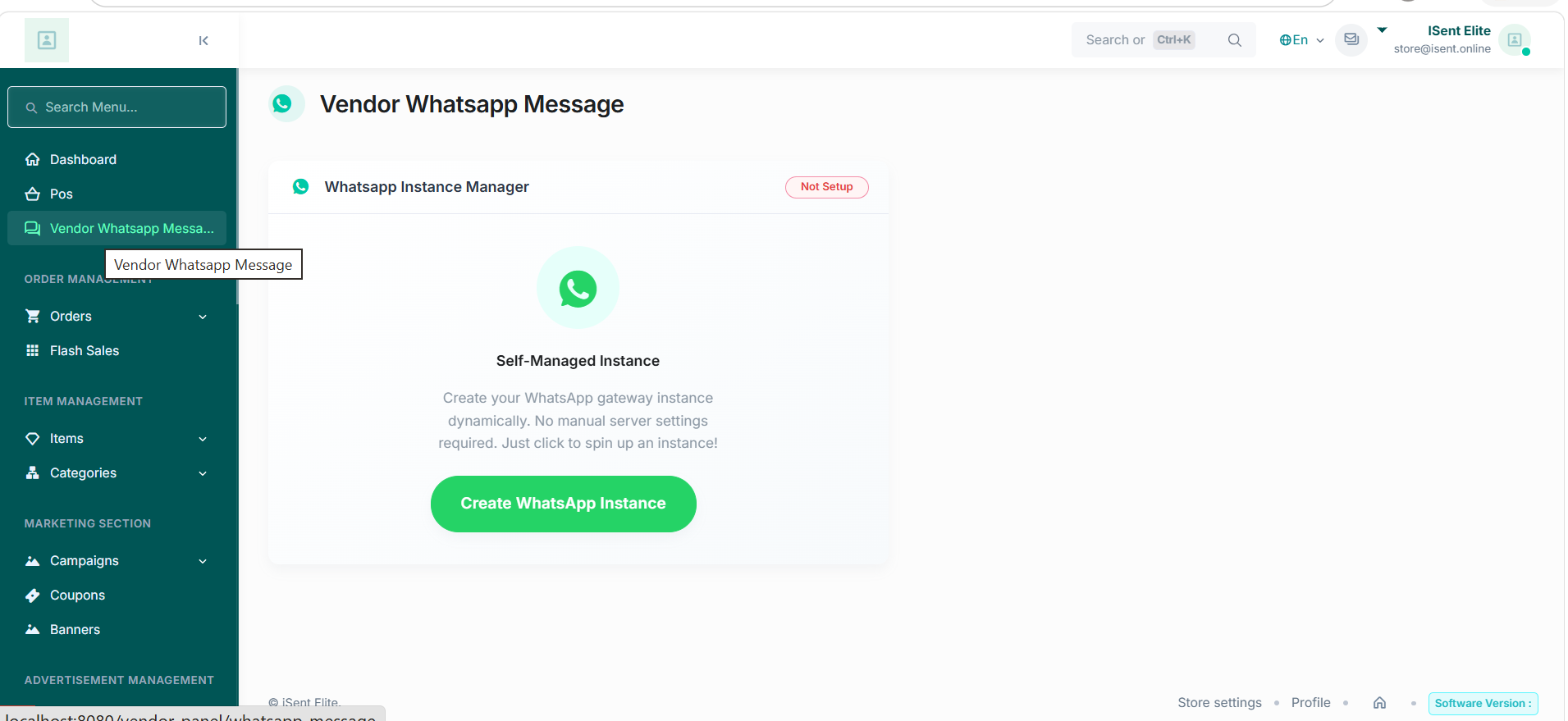
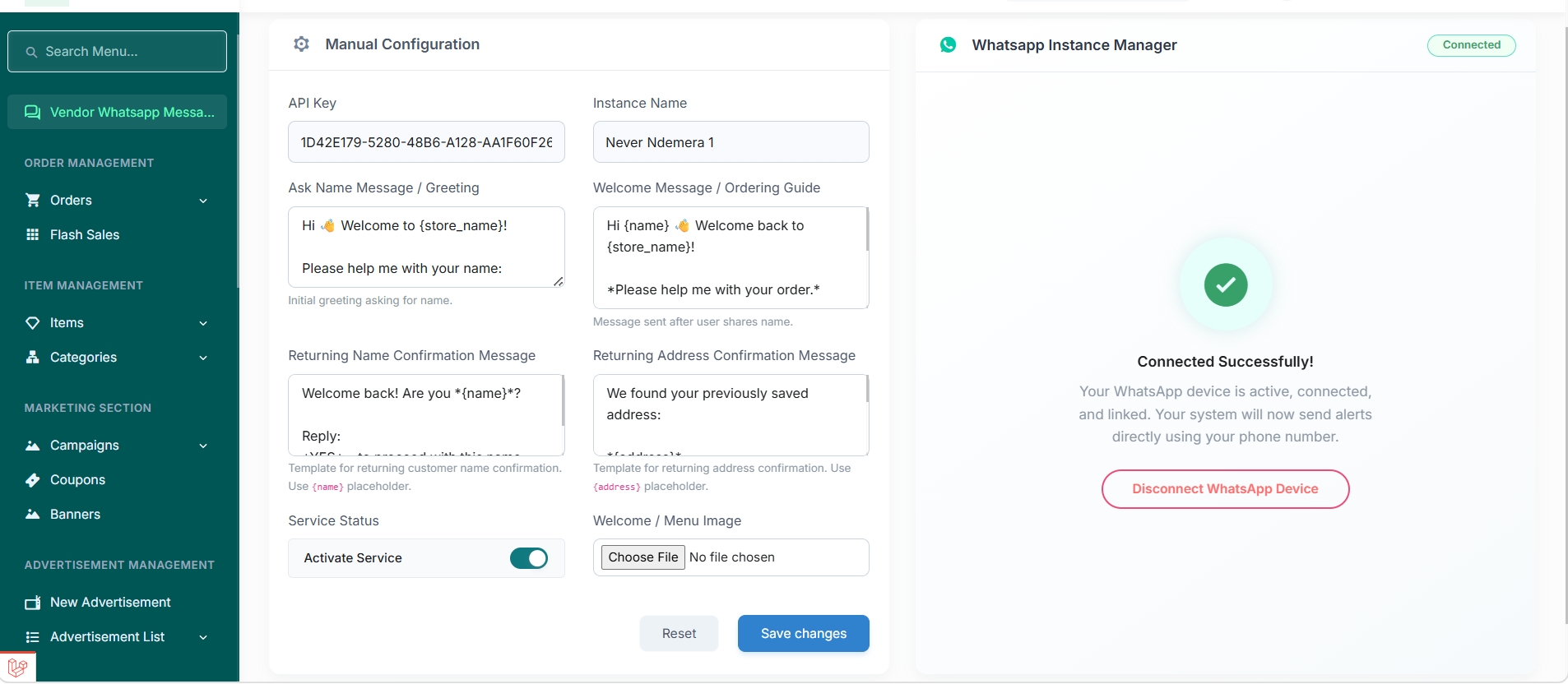
3.Configure and Save Changes
4.Open https://whatsup.worksaar.com/
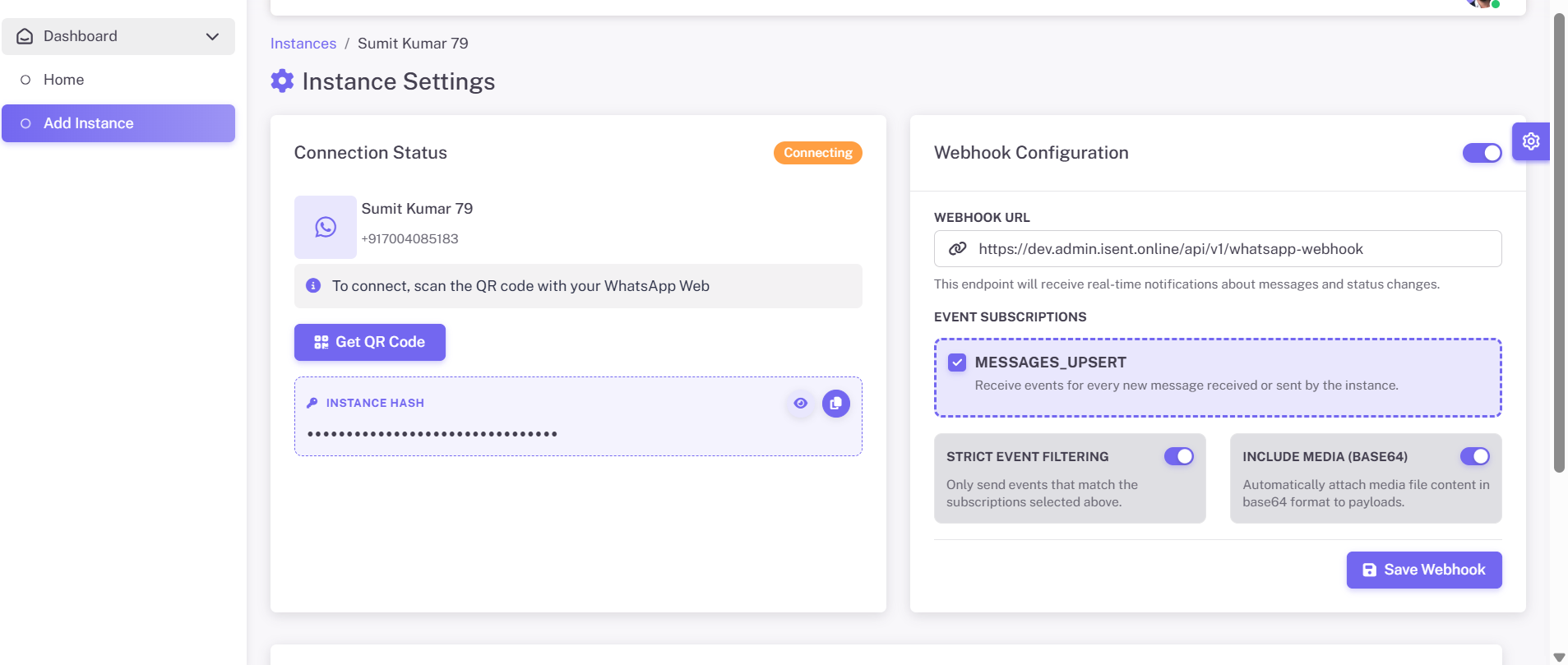
5.Add Instance and scan QR code
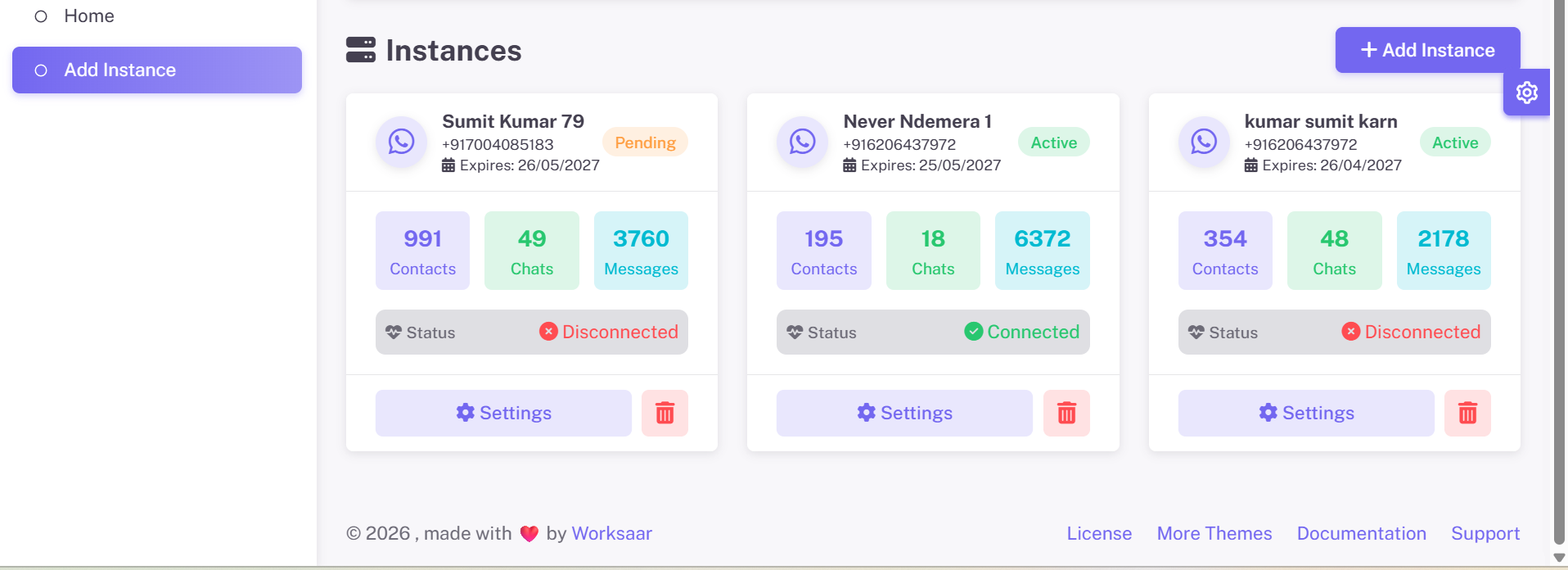
7.Open Instance Settings
8.Enable Webhook
9.Set URL:
https://dev.admin.isent.online/api/v1/whatsapp-webhook
10.Click Save Webhook
11.Verify the instance shows Connected.